
One Year With Lovable: The Workflow Breakthrough That Changed Everything
How giving Claude real code context transformed the way I build

Almost a year ago, I wrote that AI-generated code was about to change the startup game forever.
I still believe that.
What I did not anticipate was how messy the middle would be.
For the first several months of building in Lovable, I was not shipping fast. I was fighting bugs.
Fix one regression.
Introduce another.
Tweak a component.
Break something unrelated.
My first serious project was a productivity tool that integrated deeply with Google Calendar. It involved scheduling logic, state management, drag-and-drop behavior, and calendar syncing. In other words, all the places subtle bugs love to hide.
More than once, I had to roll the codebase back. Not a small rollback. Weeks of work.
Bugs had trapped me in a corner. The architecture was not wrong, but the accumulated friction made forward progress painful. The cleanest way out was to revert and rebuild.
I pushed through the frustration. Barely.
Lovable was still remarkable. As a non-engineer, I was turning product ideas into working software. That is extraordinary.
But I was spending too much time debugging and not enough time building.
Two things changed.
First, Lovable got meaningfully better.
Second, I got better.
I stopped jumping straight to implementation. I started doing more upfront planning in Claude. I leaned heavily into Lovable’s planning mode before writing a single line of code. The quality of my outputs improved immediately.
But the biggest unlock came from something I did not see coming.
Claude Knew My Vision. It Did Not Know My Code.
Claude has been my strategic thought partner for a while. I use it to think through product decisions, sharpen prompts, and challenge assumptions.
But when it came to implementation prompts, Claude was working blind.
It knew what I wanted.
It did not know my codebase.
It did not know:
My file structure
My component hierarchy
My prop patterns
My Tailwind conventions
My state assumptions
So even when it generated good prompts, they were generic.
And generic prompts are a fast track to regressions in Lovable.
The missing piece was not better prompting.
It was context.
Claude With Full Code Context
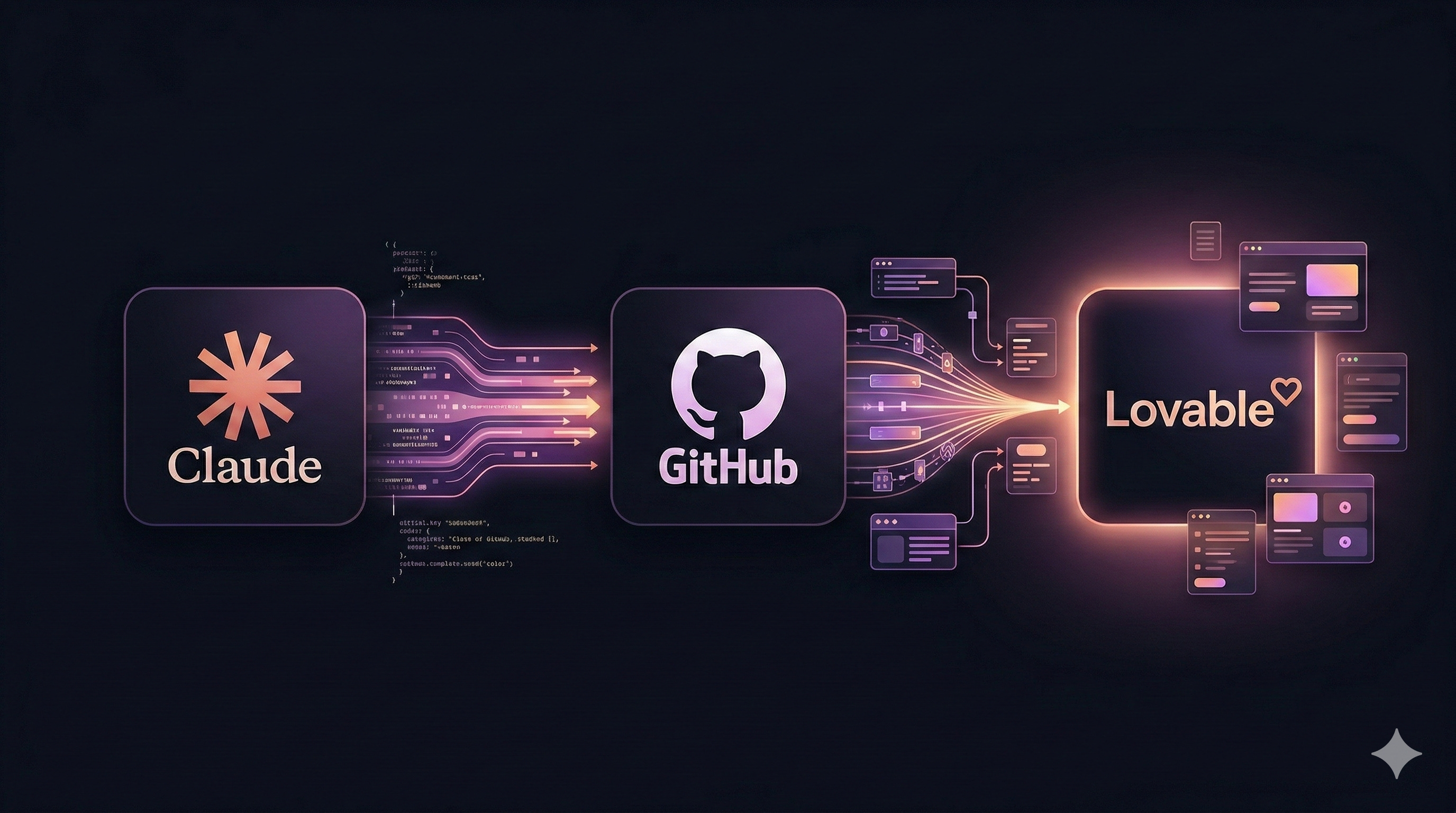
I connected Claude to my GitHub repository using Venn.ai.
Now, before helping me generate an implementation prompt, Claude reads the relevant files directly from my repository.
That one change altered everything.
Instead of describing behavior abstractly, I could anchor prompts to the actual structure of my code.
Here is a real example.
I wanted to add a “Spotlight Opportunity” treatment to the top card in a sorted list.
Before full repository access, a prompt might have looked like this:
Add a highlighted state to the top card with an orange border and glow.
Reasonable. Plausible. Risky.
With repository context, Claude generated something far more precise:
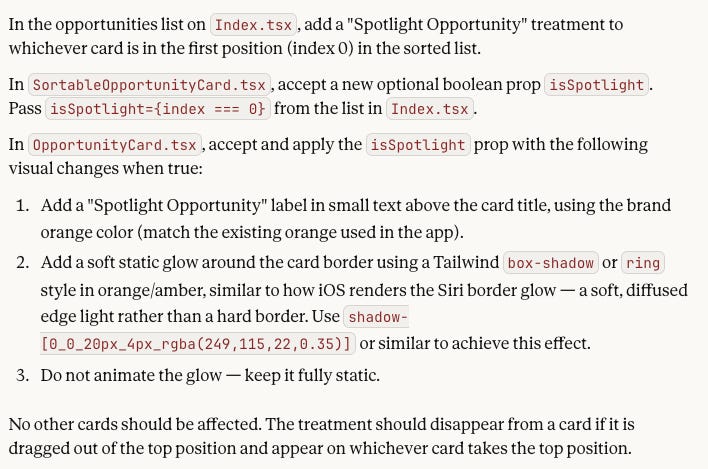
Specific files.
Specific props.
Specific styling.
Clear constraints.
Lovable executed it cleanly. No regressions. No unintended side effects.
That was the moment it clicked.
The edge is not the tool.
It is the workflow.
Layering the Stack Intentionally
Lovable is powerful.
Claude is powerful.
But layered together, with full repository context, they become something different.
AI tools do not eliminate discipline. They amplify it.
If your instructions are vague, the output will be vague.
If your prompts are disconnected from system constraints, you will debug endlessly.
If your assistant understands the system, you ship.
I am building the most complex product of my career without a dedicated engineering team.
That is not because the tools are magical.
It is because the stack is intentional.
How To Do This
If you are building with Lovable and GitHub, the setup is straightforward:
Connect your GitHub repository.
Before generating an implementation prompt, explicitly ask Claude to read the relevant files using Venn.
Input the prompt into Lovable.
If you already use Claude to plan your vision, you will feel the difference immediately.
A Quick Disclosure
I am an advisor to Venn.
The first time the team showed me their vision for connecting AI to the tools we use daily, securely and with real context, I immediately wanted to try it. The broader idea of AI directly interacting with your local environment has clearly struck a nerve. OpenClaw’s momentum shows that people want this. Builders are hungry for assistants that understand their real systems.
At the time, I was already feeling the friction of AI working without system awareness. The idea of giving Claude structured, permissioned access to my real environment was not theoretical for me. It was a direct solution to a problem I was living.
That is why I chose to get involved.
I believe this layer of securely connecting AI to the actual systems we build and operate inside will matter far more than most people realize.
I am sharing this because it materially changed how I build.
The AI coding revolution is real.
What I was missing early on was this:
Better tools do not automatically produce better outcomes.
Better systems do.
When you layer the right tools together with discipline and context, you stop fighting the machine and start shipping.
Venn.ai integrates Claude with GitHub (and other apps) by acting as a secure connector layer, allowing Claude to perform controlled actions like reading repos, creating issues, or updating tickets via predefined permissions and human oversight.[1][2]
This differs from Claude's native GitHub integration, which uses direct repo syncing and GitHub Apps for dev tasks like code reviews.[3]
## Setup Steps
1. Sign up at venn.ai and connect GitHub as a business app in the integrations tab.
2. Link Claude (or Claude Code) in Venn's AI section—Venn provides instructions for embedding the connection.[1]
3. Use the connection in Claude chats; Venn enforces policies (e.g., read-only or approval-required writes) and audits actions.[4]
Venn focuses on cross-app workflows (e.g., GitHub + Jira), making Claude more "agentic" safely during its free early access phase.[2][1]
Sources
[1] How to connect Claude to your work apps (Venn Setup Guide) https://www.youtube.com/watch?v=k050diqiojM
[2] Neil Mansilla's Post - LinkedIn https://www.linkedin.com/posts/neilmansilla_agenticai-aiatwork-futureofwork-activity-7432348562178396160-QoJl
[3] Using the GitHub Integration - Claude Help Center https://support.claude.com/en/articles/10167454-using-the-github-integration
[4] dz0ny/devenv-claude: A AI skill for Devenv - GitHub https://github.com/dz0ny/devenv-claude
[5] Claude Code Tutorial #9 - Claude Code with GitHub - YouTube https://www.youtube.com/watch?v=7pKN_pjPW04
[6] Venn Diagram Generator: Claude Code Skill for Visuals - MCP Market https://mcpmarket.com/zh/tools/skills/venn-diagram-generator
[7] cachix/devenv-ai-agents: A collection of specialized Claude ... - GitHub https://github.com/cachix/devenv-claude-agents
[8] Bind AI GitHub Integration | Sync Code with Claude 4.0 Sonnet, GPT ... https://www.getbind.co/github-integration
[9] How To Connect A Github Account To Claude Ai (Tutorial 2026) https://www.youtube.com/watch?v=xZSDj_RQ8aU
[10] Claude Code's GitHub integration is now generally available. - Reddit https://www.reddit.com/r/ClaudeAI/comments/1n0rosn/claude_codes_github_integration_is_now_generally/
[11] GitHub-Born Plugin Turns Claude Into A Self-Managed AI For ... https://www.opensourceforu.com/2026/03/github-born-plugin-turns-claude-into-a-self-managed-ai-for-100000-developers/
[12] Claude Code + GitHub WORKFLOW for Complex Apps - YouTube https://www.youtube.com/watch?v=FjHtZnjNEBU
[13] Venn Diagram Generator: Claude Code Skill for Visuals - MCP Market https://mcpmarket.com/ko/tools/skills/venn-diagram-generator
[14] Just saw the (new?) GitHub integration page for Claude ... - Reddit https://www.reddit.com/r/ClaudeAI/comments/1h1btg3/just_saw_the_new_github_integration_page_for/
[15] Is the GitHub connector not working? : r/ClaudeAI - Reddit https://www.reddit.com/r/ClaudeAI/comments/1qb5bqy/is_the_github_connector_not_working/